Email Feedback Modules and Sentiment Analytics
Email Feedback Modules and Sentiment Analytics
Collecting customer sentiment shouldn't be complicated. Our Email Feedback Modules allow you to embed interactive feedback prompts directly into your campaigns, giving your subscribers an easy, one-click way to interact.
By bringing feedback directly into your emails, you can drive higher click-through engagement and equip your team with immediate, actionable insights into customer sentiment and health—all without needing to rely on third-party feedback tools.
How it works
The feedback module is designed to be as frictionless as possible for your recipients. When a recipient clicks a rating inside their email, they are instantly routed to a dynamic landing page where their choice is automatically pre-selected and submitted. They do not need to fill out complex forms; their single click is all it takes to record their sentiment.
How to add a feedback module to your campaign
- Open the Campaign Builder: Create a new campaign or open an existing draft and navigate to the template editor.
- Navigate to Modules: On the left-hand sidebar, click on the Modules tab, and then select Prebuilt module.
- Choose your format: Locate the Feedback modules section. You can choose from multiple dynamic formats to fit your brand's tone, including:
● 1-5 Satisfaction Scale
● 4-Emoji Card
● Thumbs Up/Down prompts - Drag and Drop: Simply drag your chosen feedback block right into your email template.
Reviewing your Feedback Analytics
Once your campaign is sent, you can track your incoming responses in two different ways:
1. Campaign-Level Insights
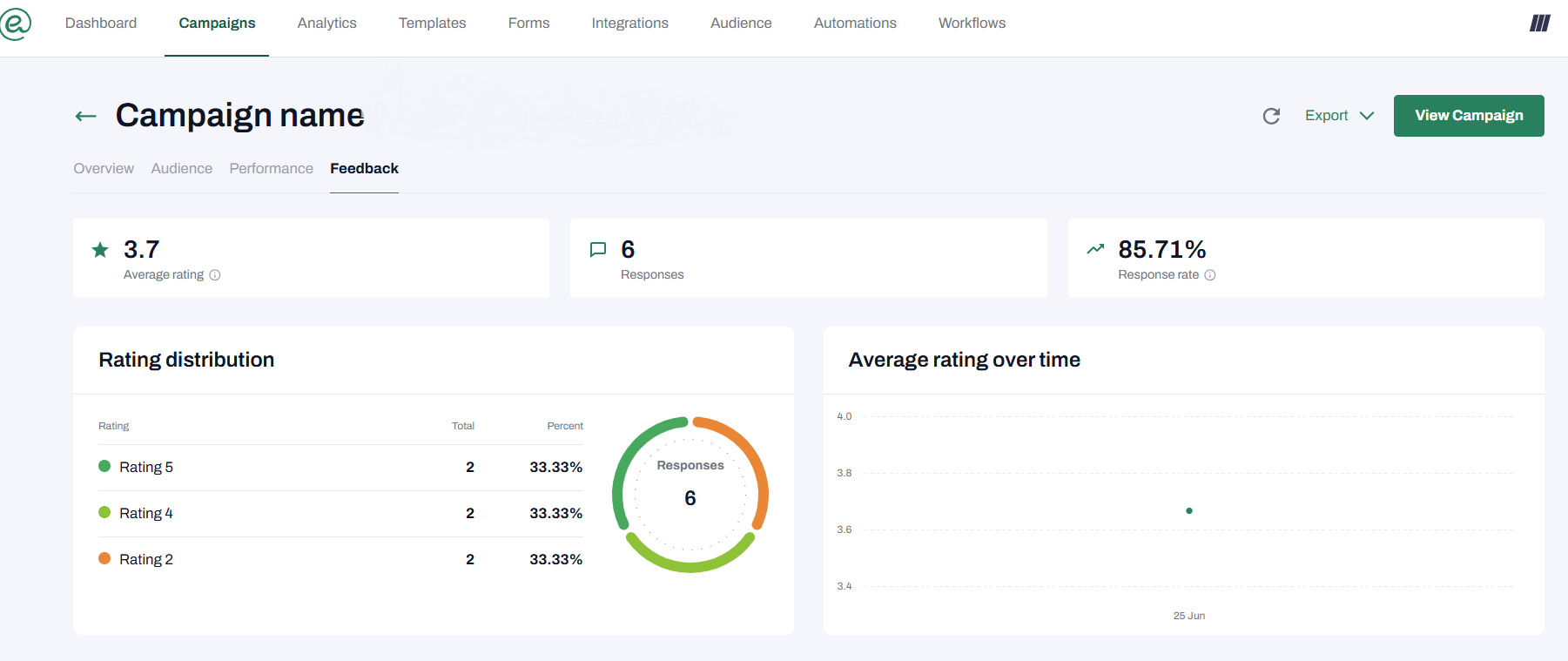
For insights on a single email send, open your completed campaign and navigate to the new dedicated Feedback tab. Here, you can instantly track the average rating, total responses, and view a timeline graph of incoming feedback for that specific campaign.
2. Global Feedback Analytics
To view your overall account health and sentiment trends, dive deeper within the main Analytics dashboard.
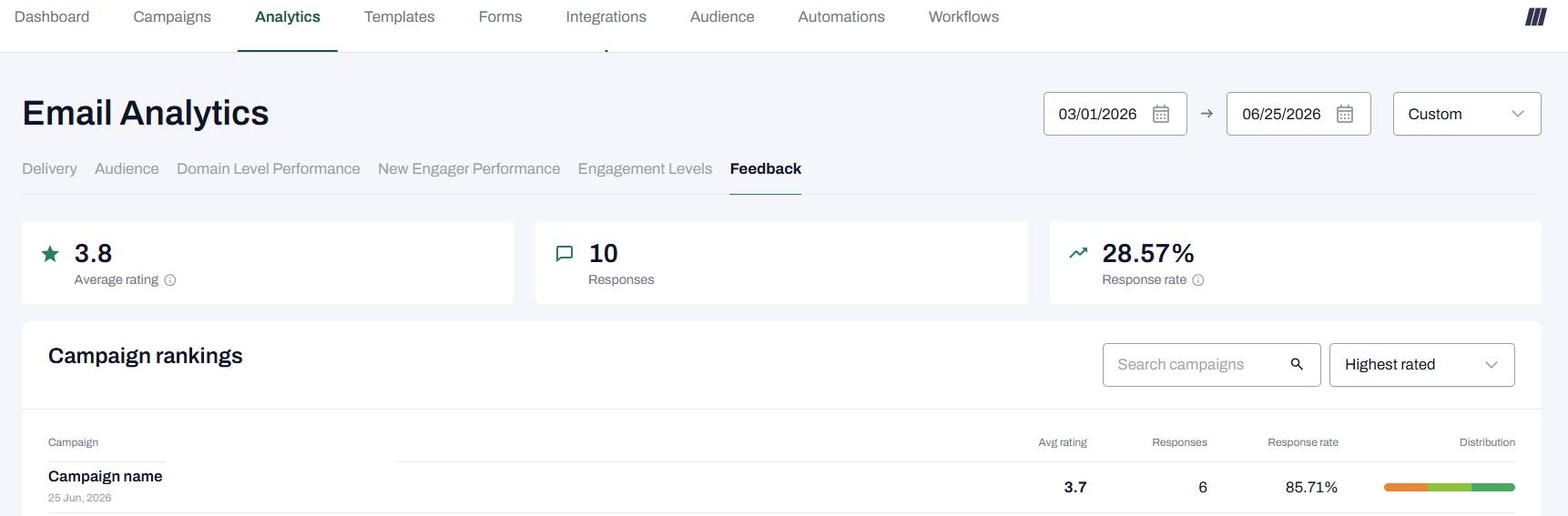 ● Filter your data: You can filter your global analytics by date range etc.
● Detailed Metrics: View aggregated submission counts, your overall response rate, and a complete distribution of scores (e.g., exactly how many 1-star vs. 5-star ratings you received).
● Filter your data: You can filter your global analytics by date range etc.
● Detailed Metrics: View aggregated submission counts, your overall response rate, and a complete distribution of scores (e.g., exactly how many 1-star vs. 5-star ratings you received).