Retention Integration
Retention Integration
The Retention Integration connects your tinyEmail account with retention.com, a powerful third-party lead capture service. By placing a tracking pixel on your website, you can capture visitor identities and automatically push those leads directly into your tinyEmail audiences.
The Retention Integration connects your tinyEmail account with retention.com, a powerful third-party lead capture service. By placing a tracking pixel on your website, you can capture visitor identities and automatically push those leads directly into your tinyEmail audiences.
What is Retention
Powered by retention.com, this service identifies anonymous visitors on your website—those who browse your content but leave without signing up or completing a purchase. It matches these visitors to real identities and syncs them as leads to your tinyEmail audiences, turning lost traffic into actionable contacts and providing a powerful new way to re-engage your audience.
How it works
This integration operates on a credit-based system and syncs seamlessly with your existing contact lists.
- Credit System: You purchase Retention credits upfront. Each time a captured lead is successfully added to your audience, one credit is consumed.
- Automatic Suppression: When you activate the integration, tinyEmail automatically generates a full suppression list of your existing subscribers. This ensures you are not charged for leads you already have.
- Tracking Pixel: Once set up, the system generates a tracking snippet (slug) that you install on your website to begin capturing leads.
How to Activate the Integration
Once you have purchased credits, you can enable the Retention integration directly from the Audience section of your tinyEmail dashboard.
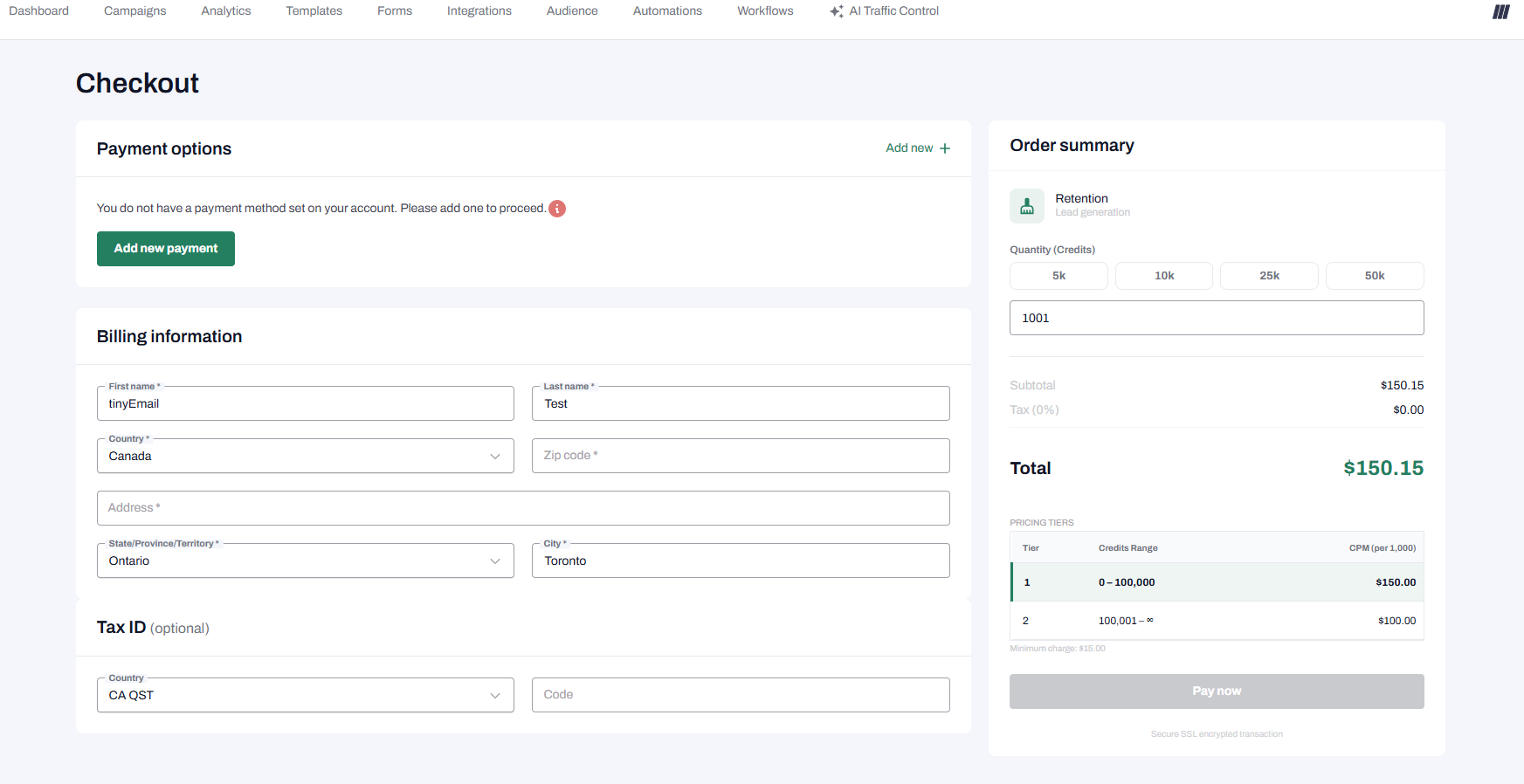
1. Purchase Credits
Choose a credit package and complete your purchase through the billing interface (My Account > Plans & Billing > Manage Credits). Initial credits must be purchased to provision your retention.com sub-account.
2. Select Your Audience
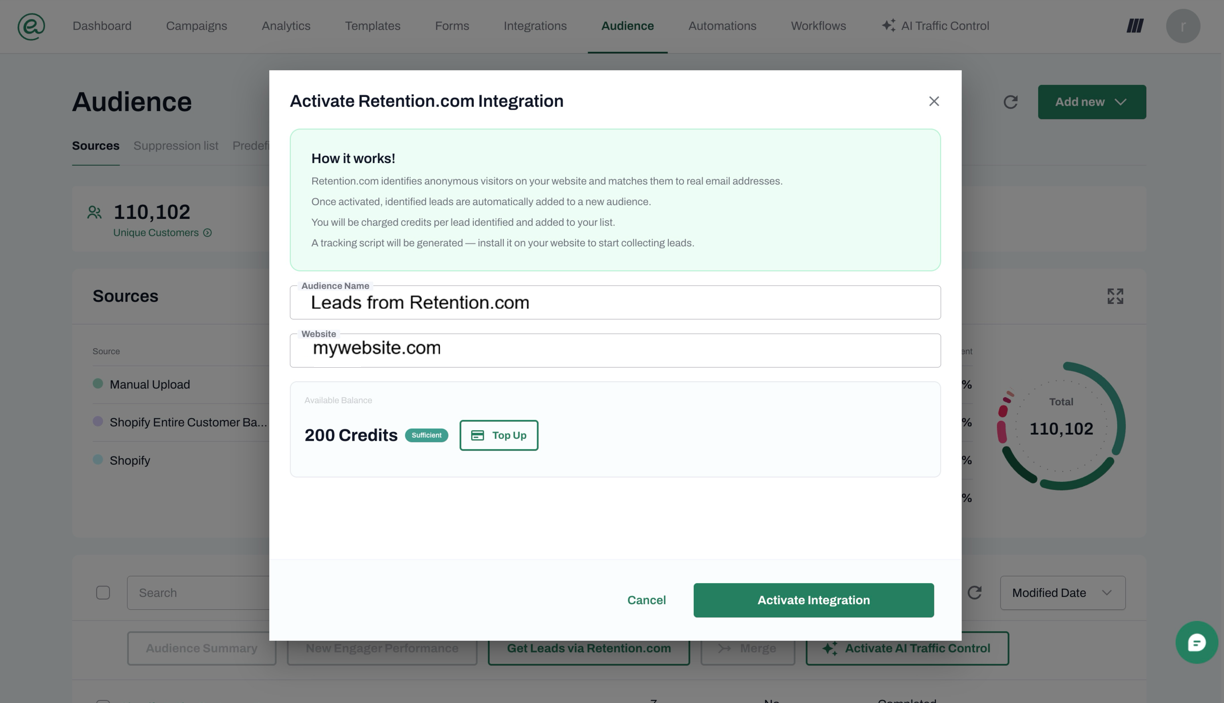
Navigate to the Audience section in your tinyEmail dashboard. You will be prompted to add a name for your new audience and your website, where you want all newly captured leads to be stored.
3. Background Processing
Once you activate integration, tinyEmail will process the setup in the background. The system will safely hash your existing contacts for suppression and automatically provision your partner account with retention.com. You will see a "PROCESSING" status while this occurs.
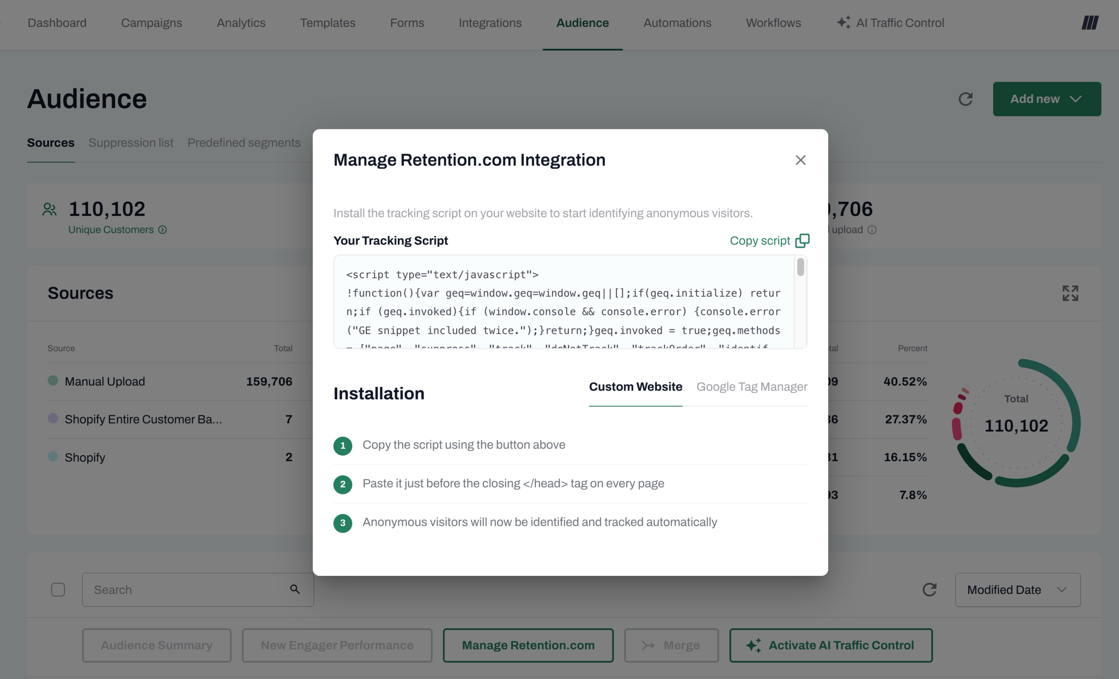
4. Install the Tracking Slug
After successful provisioning, your integration status will be updated to ACTIVE, and a tracking slug (JavaScript snippet/script key) will be displayed on the confirmation screen. Copy this snippet and install it on your website.
Note: You can always retrieve this tracking slug later from your account settings if needed.
NOTE: You might be also interested to check Retention Reactivation
Managing Your Credits
Keeping track of your usage is easy directly from your tinyEmail account.
- Viewing your balance: You can easily track your usage and current credit balance. This information is available in your account under My Account > Manage Credits. Your balance will decrement accurately with each successful contact added.
- Low Credit Notifications: When your balance falls below a specific threshold, the account owner will automatically receive an email notification containing your current balance and a direct link to top up.
- Topping Up: You can purchase additional credits (top-ups) at any time post-onboarding. Any newly purchased credits will be immediately added to your active balance.
Tip: To ensure your account never runs out of credits, you may also want to check our guide on Managing Your Credits: Product Auto Top Up
Related Article: Retention Reactivation